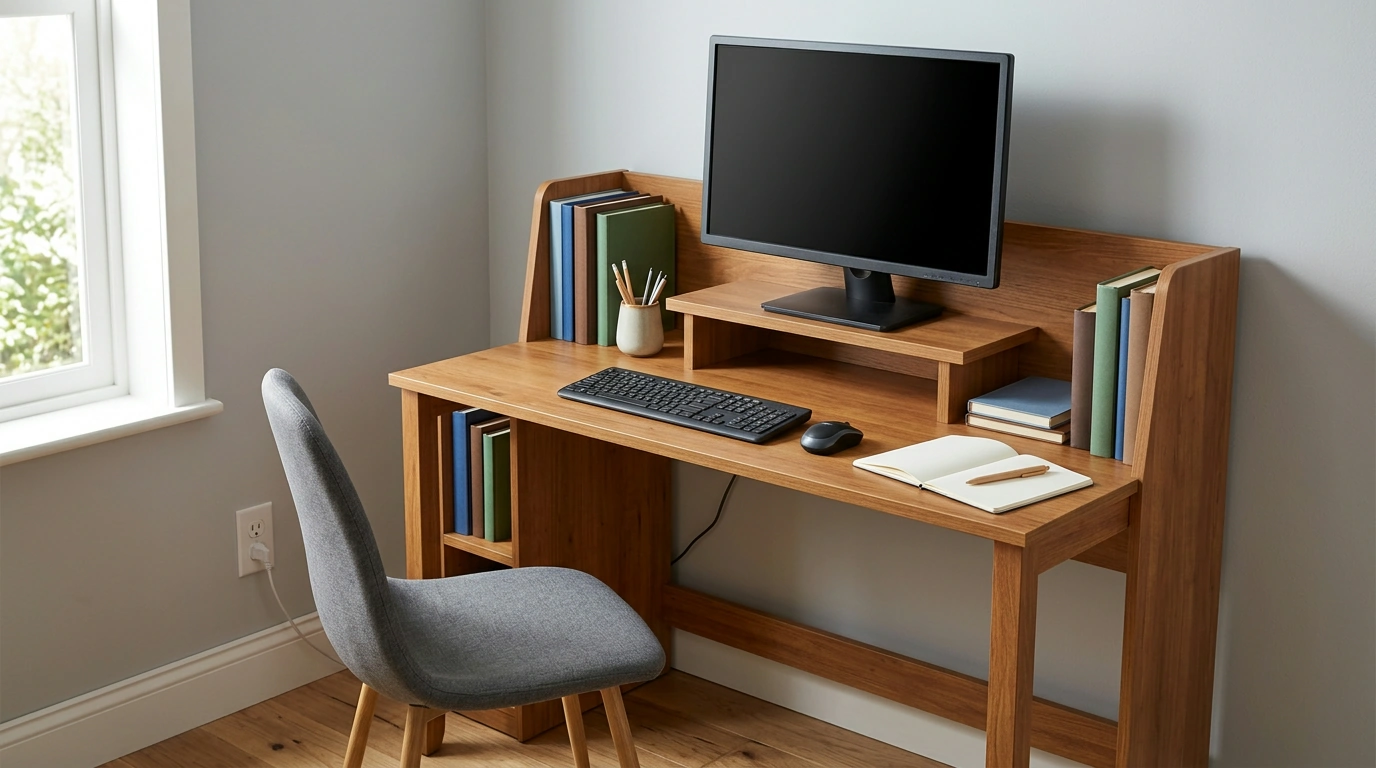
A home office needs to hold more than a computer. You may want a notebook open beside your keyboard, a place for reference materials, and a screen positioned for comfortable viewing. Our 55 Inch Multi-Functional Computer Desk with Storage Shelves and Monitor Stand for Home Office brings those needs together with a work surface, shelves, and a dedicated monitor stand. The best setup starts with deciding what you need within reach—and what can move off the desktop.
Use the desk’s 55-inch width as a starting point, not the only measurement that matters. Before choosing its location, compare the complete product dimensions with the available space. Allow room to pull out your chair, turn comfortably, and reach an outlet. If a nearby door, cabinet, or drawer opens toward the desk, include that clearance in your plan.
Once the desk is in place, keep the area directly in front of your chair available for your keyboard and mouse or a writing task. Give items you use throughout the day—perhaps a notebook, phone, or pen cup—a defined spot. Move occasional-use supplies to the shelves rather than letting them spread across the main surface.
| Zone | Good place for | Planning tip |
|---|---|---|
| Main surface | Keyboard, mouse, notebook, and current task | Leave room for comfortable arm movement. |
| Monitor stand | A compatible monitor | Assess screen height from your seated position. |
| Storage shelves | Books, supplies, and less-used items | Confirm item dimensions and shelf load limits before filling them. |
A dedicated stand gives your monitor its own place and leaves more of the surrounding desktop available for active work. Set your chair and keyboard where you can sit comfortably first, then assess the screen position. You should be able to look at the display without routinely tipping your head up or down. The OSHA Computer Workstations eTool offers guidance on arranging a workstation, while Mayo Clinic’s office ergonomics guide covers monitor, chair, and keyboard positioning.
Monitor bases vary as much as screen sizes do. Confirm that your monitor’s base fits securely on the stand and that its weight is within the desk’s stated guidance before setting it in place. If you use a laptop alongside a monitor, decide which screen will be your primary one so you can position your chair in front of it instead of spending the day turned to one side.
The most accessible shelf space is valuable. We suggest reserving it for things you reach for during the workday, such as a planner, a few reference books, or a small container of supplies. Less-used materials can go farther from your usual seated position. Grouping similar items in organizers also makes it easier to find what you need and put everything away when work is done.
Before loading the shelves, consider both the dimensions and weight of what you plan to store. Keep every shelf within its stated capacity, and avoid arrangements that obstruct legroom or cable access. A stack of loose papers may fit, but a folder or organizer will usually be easier to manage. If your work calls for a larger collection of books or files, our Modern Minimalist Steel Bookshelf: Artistic Floor-to-Floor Storage Rack is another storage option to consider, provided it suits your room and storage needs.
How you divide the desktop should reflect the work you do most often. For computer-heavy days, prioritize a clear keyboard and mouse area, with only the tools you need for the current task nearby. If you regularly alternate between digital work and paperwork, reserve part of the surface for documents so you do not have to rearrange everything each time you write.
Lighting deserves a place in that plan, too. Position a task light to illuminate papers without casting distracting glare on your screen. Keep everyday supplies within comfortable reach, but resist filling every open spot. A little unused space makes it easier to spread out a document, set down a notebook, or switch tasks without first clearing a pile.
After assembly, sit at the desk and make small adjustments. Move your chair, keyboard, and screen as a group rather than judging each item in isolation. Pay attention to where your arms rest, how often you lean to reach supplies, and whether cords remain accessible. Your first arrangement does not have to be permanent; a few ordinary workdays will show you what belongs on the desktop and what belongs on a shelf.
Measure the intended location, including the space your chair needs behind the desk. Review the complete dimensions, assembly information, and load limits, then think through where your monitor, supplies, and cords will go. Taking those steps now can help you choose a location that works for your room as well as your daily routine.
When you are ready to put that plan into place, explore our 55-inch computer desk and build a workspace that gives each task—and each essential item—a place of its own.
It can provide room for a computer setup and everyday work items, but the right fit depends on your equipment and room layout. Measure the available area and compare it with the desk’s complete dimensions.
Use the shelves for supplies, reference materials, and organizers you want nearby without keeping them on the work surface. Confirm that your items fit and stay within the stated shelf weight limits.
Adjust your chair and screen so you can view the display comfortably without routinely tilting your head. Make sure the monitor base fits securely and its weight is within the stand’s stated capacity.












Leave a comment